Monday, August 2, 2010

Wii for Fitness? - Measure a Millennial's Progress (Getting Fit for the Fall Semester)!

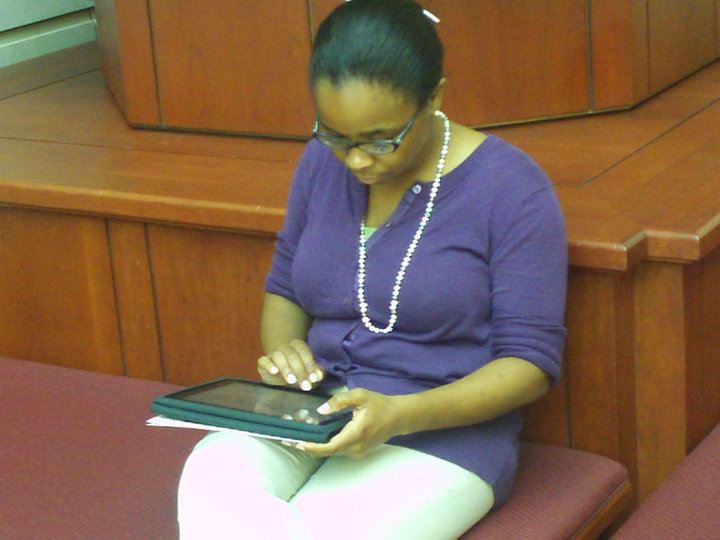
Today, starts the first day of my fitness journey. In October, I have my 10th year class reunion and I need to lose 5 to 10 pounds. Over the summer, I gained five pounds from sitting in front of the computer grading papers and drinking coffee. Now, I am starting my own personal boot camp. I am going to use the Wii as a training tool and the local YMCA for group fitness.


Wii Games:
Dance Dance Revolution III
Just Dance - Original Version
Just Dance - Broadway Version
Wii Fit Plus


If I am going to survive the fall semester, I will have to develop good fitness habits now! Keep me accountable.


So, I will post the type of fitness exercises and the amount of time that I spend on each activity on a Google Spreadsheet (in millennial fashion). As a millennial, I have been raised in front of the television, so I might as well experience some benefit from my television fetish!


Millennial Professor - Jennifer T. Edwards, Ed.D.

Thursday, July 29, 2010

Youtube Videos - Student Reflections from a Twitter Assignment

Readers,


As most of you know, I LOVE incorporating Twitter in my online and face-to-face courses. I embed the Twitter widget on my blackboard page to enable my students to see my grading updates, etc. and I interact with my students through the communication tool as well. So, it seems like the "Twitter in the Classroom" movement is catching on with other professors across the nation. 


This week, I was grading Youtube assignment submissions from students and I discovered these Twitter submissions from a fellow professor:


I love the students' comments and after watching the videos, I plan to incorporate filmed interviews in my fall courses. Youtube provides many opportunities for professors to spread ideas across the nation! We can improve our teaching practices by submitting one Youtube video, blog spot, or tweet as at a time! Contribute to your profession by sharing ideas!


Millennial Professor - Jennifer T. Edwards, Ed.D.

Wednesday, July 28, 2010

College Students: Free Amazon Prime Subscription

college textbooks

Readers,

Please tell your college students about this incredible opportunity! A free subscription one-year to Amazon Prime (FREE TWO DAY SHIPPING)!

This is a wonderful savings opportunity for students who order textbooks after receiving their course syllabus on the first day of class.


Thanks Coupon Cravings!

Millennial Professor - Jennifer T. Edwards, Ed.D.

YouTube Better at Funny Cat Videos Than Educational Content, Professors Say - Wired Campus - The Chronicle of Higher Education

YouTube Better at Funny Cat Videos Than Educational Content, Professors Say - Wired Campus - The Chronicle of Higher Education

What do you think about this one? Have you used any educational videos from Youtube?

I use sample speeches from other universities AND "how to" videos ALL of the time!


Millennial Professor - Jennifer T. Edwards, Ed.D.

Building Higher Education Courses Through Outsourcing

Today, I discovered this article on colleges and universities who OUTSOURCE some of their online student services to Embanet (http://embanet.com/). Some colleges use Embanet to host courses, design courses, market their courses, and to provide student services. 


Here's the article - Outsourced Ed: Colleges Hire Companies to Build Their Online Courses


Millennial Professor
Jennifer T. Edwards, Ed.D.

Tuesday, July 27, 2010

iPads in the College Classroom - The iPad Pilot and Loaner Programs


This has been one of the most AMAZING summers (with the iPad). :) This wonderful piece of technology has enabled me to become a truly mobile professor. Now, I wish my students had access to this technology as well.


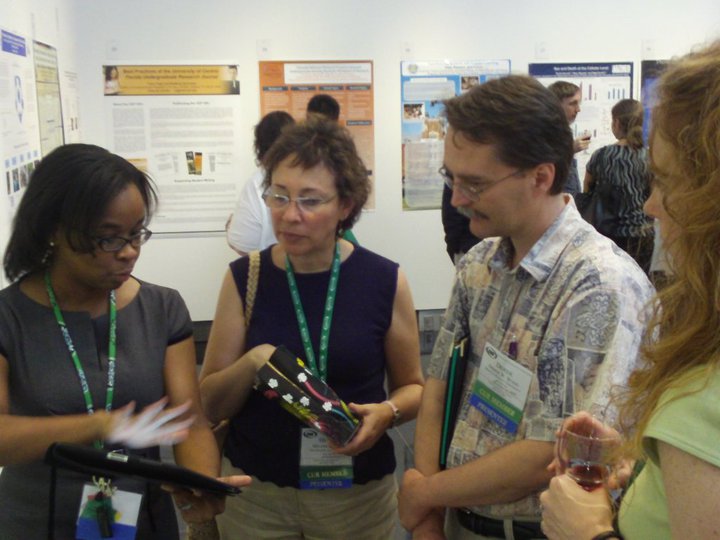
iPads in Scholarly Presentations - This summer, I delivered a poster presentation at the Council on Undergraduate Research (CUR) on Google Documents. It was a great experience and I bypassed the university network by using my AT&T 3G service <- which was VERY nice. Using the iPad, I demonstrated how to create a form on Google Docs and the faculty were in awe of Google's features! In addition, I demonstrated how my students wrote their research papers using the communication medium.


iPads in the Classroom (Faculty) - Faculty can use their iPad in their classrooms to make their lives easier. I plan to keep attendance on the iPad and demonstrate simple cloud computing concepts to small student groups during the fall semester. In addition to using the device to demonstrate simple concepts to small groups, when the computer system in the classroom is down, I plan to load my power points from Google Docs on the iPad and to display them via the document camera to deliver my lectures.


I still do not allow laptops in my classroom, but I would allow the iPad (generation one). This technology does not handle multitasking well. This is GREAT for classrooms! If the students are operating from an e-book, they cannot have their e-mail open at the same time. However, I have discovered that I can browse the internet or grade papers on blackboard AND receive messages from Yahoo Instant Messenger.


Today, I discovered an article on Wired focused on iPad pilot studies that will happen in the fall. I am VERY disappointed that our university was not selected. :( Here's the link, iPad Gets the University Treatment in the Fall. In addition to the universities selected for the pilot study, Texas A&M University is providing their faculty with an iPad loaner program for faculty to experience the iPad for one week: http://itsinfo.tamu.edu/news/iPad_Loaner_Program_Announced_for_Faculty.php.


The iPad is an incredible resource for the college classroom!


Millennial Professor - Jennifer T. Edwards, Ed.D.

Monday, July 26, 2010

Vote for the AmeriCorps Video and Photo Contest!


Illustration by Jason Robinson - His art is amazing! :) - http://www.illustration-by-design.com/

Five Days Left to Vote in the AmeriCorps Video and Photo Contestwww.AmeriCorpsContest.org

Are you an Americorp alumni? I am a big fan of AmeriCorps (although I have never served with the organization). Many of my students are interested in serving with AmeriCorps and I would like to help them out by promoting their video and photo contest!

The judges have selected 5 video finalists and 10 photo finalist whose work depicts how AmeriCorps gets things done in communities. The general public will select the winners by voting for their favorite videos and photos. If you haven't already done so, check out the amazing videos and photos that highlight the great work that AmeriCorps members are doing in communities across our nation. Public voting will be open until midnight Eastern Time on July 30, 2010. 

Visit 
www.AmeriCorpsContest.org to vote! 


Millennial Professor 
Jennifer T. Edwards, Ed.D.

Forming Teams and Breaking Ice: Ways to Increase Student Interaction and Engagement in the College Classroom

Faculty/Trainers,


Are you looking for some GREAT team building activities for the beginning of the semester? Try this link - http://adulted.about.com/od/icebreakers/tp/topten2009.htm.

This website features MANY activities and ideas including the following team builders:

1. Human Bingo (College students LOVE this one!)

2. Marooned (I've never tried this one.)

3. 2 Minute Mixer (i.e. - SPEED DATING in CLASS...)

4. The Power of Story

5. Table Topics (i.e. - Informative Speeches OR Conversation Starters)

6. Would You Rather...

7. If You Had a Magic Wand (I cannot WAIT to try this one!)

8. Where in the World?

9. Photo Scavenger Hunt

10. The Name Game

Let me know what you think? Please post some other great team builders by replying to this message. :)

Thanks!

Millennial Professor 


Jennifer T. Edwards, Ed.D.

Thursday, July 22, 2010

I Admit It, I am a Binge Grader..

Millennial Professor Jennifer T. Edwards, Ed.D.

Readers,

This summer, I am teaching the second half of my online course and I am a few days behind in grading. Okay, maybe I assigned a little too much in my online course, but I did not want to make this online course any less rigorous than my face-to-face course.

Binge Grading Explained
As a result, I have a lot of assignments to grade. Between the Google Doc assignments and the blackboard assignments, my days are consumed with grading. Not only do I grade one assignment, but I tend to grade SEVERAL assignments at one time (BINGE GRADING). I do not like grading assignments at office when the door is open. Here are my favorite spots for grading student assignments AND writing scholarly papers:

Five of My Favorite Binge Grading Spots!
1. Starbucks or Hastings
2. Riding in the Car
3. Marriott Hotels (free breakfast and free coffee/tea at anytime)
4. My Backyard
5. The Home Office I share with my husband.

My favorite time to grade papers is REALLY early in the morning (6 am to 9 am) at my desk in my home office or in a Marriott hotel room from 9 pm to 2 am.

Grading Papers with a SIZEABLE Amount of Feedback...
When I grade my students' assignments, I strive to give them a wealth of feedback.
If they spent time writing a paper, I am going to read the paper and contribute at least 20 to 30 comments per paper.

Ironically, yesterday I discovered an article titled "Students Mostly Satisfied, But Welcome Faculty Feedback on Papers". This article focuses on my undergraduate experiences, where I received letter or numerical grades on my paper but I did not know how I earned the grade. There were red marks on the front page, but I am not sure if the professor read past the first couple of pages. Not surprisingly, I am one of those people who strives to read EVERY SINGLE page that a student submits. This is a very time consuming task, but I really want to READ what the students write in their papers!

Google Documents Spoils Me...The Feedback Monster!
I adopt new technologies like Google Docs to provide instant feedback on their process (even before the paper is due). I configure the document to send me updates via e-mail whenever the document is modified. Several students contributed comments on an informal survey on Google Docs that I dispersed in the spring.

Are YOU a BINGE GRADER? If so, contribute your FAVORITE grading spots!

Dr. Jennifer T. Edwards
Millennial Professor

Thursday, July 15, 2010

Twitter in the Classroom - 200+ News Articles


One of my favorite resources for classroom technology ideas is the Centre for Learning And Performance Technologies

Recently, this organization released a list of 200 Twitter-related news articles. Great resource!

How to use Twitter for Social Learning
200+ articles and resources about Twitter for Learning

http://c4lpt.co.uk/socialmedia/twitterrl.html

Millennial Professor
Jennifer T. Edwards, Ed.D.

Sunday, July 11, 2010

iPod Touch: Classroom Response System


Millennial Professor Jennifer T. Edwards, Ed.D.


This YouTube video describes the process for creating an assessment on Google Docs and having students answer assessment questions on an iPod Touch. Student responses can be displayed using a projector or interactive whiteboard.

Thursday, July 8, 2010

Textbook Companies and Information Disclosure - How IS the new edition of the book different?


This shall be VERY interesting! When I was a college student, I really appreciated USED books and professors who provided options for cheaper course materials and books. However, there were some professors who required students to purchase bundled packages. Some of which I still have in boxes at my parents' house (along with my course notebooks).

Students May See Some Gains Through New Textbook Rules
by Charles Dervarics , July 8, 2010


In 2010, it seems that textbook companies will be required to disclose the following pieces of information to students and faculty:

Part of the 2008 Higher Education Opportunity Act, the changes took effect July 1. “This change makes sure that all of the information is on the table,” said Nicole Allen, textbook advocate for The Student PIRGs, an organization affiliated with the consumer group U.S. PIRG.

Other changes in the rules would:

• Require publishers to provide bookstores with their wholesale prices.

• Require publishers to provide descriptions of changes made in a new addition compared to previous ones.

• Require publishers to offer textbooks and supplemental materials individually  rather than just in so-called “bundles” that may include books, CDs and DVDs. 


Millennial Professor Jennifer T. Edwards, Ed.D.

Wednesday, July 7, 2010

A Community Reading Program - Can We Apply These Ideas in Our Clasrooms?


This summer, I decided to do something fun (besides just teaching class) and I decided to join the local library book club. Everthing is online and the program functions like a scavenger hunt. Here are the tasks (Total - 300 pts.)

BARC Task List

10 points

1. Read a book with some form of number in the title. Numerals or spelled out numbers.

2. Read a book with an author that uses 3 or more names.

3. Read a book with an author that uses only initials for a first name.

4. Read a book that has a word in the title that is in a language other than English.

5. Read a book with a food in the title.

6. Read a book with a “beach” word in the title. Beach, sand, surf, tide, shell, sea, ocean.

7. Read a book set in the mountains or in a mountainous region or with the word mountain or the name of a mountain in the title.

8. Read a book set in a big city or with the word city or the name of a big city in the title. (We will define big as one million or more population.) New York City, Los Angeles, Chicago, Houston, Phoenix, Philadelphia, San Antonio, Dallas, San Diego.

9. Read a book about something you consider to be a hobby or with a hobby in the title. Scrapbooking, reading, sewing, quilting, etc.

10. Read a book with the name of a character in the book in the title.

11. Read a book that has a setting on a continent other than North America.

12. Read a book that is set in a state other than Texas.

13. Read a book that has maps in it. Either within the actual story or illustrated on the inside cover.

14. Read a book that includes something other than printed words. Some kind of graphics. Illustrations, handwriting, pictures, etc. Maps do not count.

15. Read a book about a sport or game that is played outside or a book that has a sport or game that is played outside in the title. Soccer, baseball, Frisbee, football, golf, etc.

16. What should I read next? Ever wonder if there was another author you might like. Go to this website and enter a book that you have read and read one of the books that it recommends. www.whatshouldireadnext.com

17. Read the Book Club Selection for June~~How I Became a Famous Novelist by Steve Hely. (You may start reading this book before June 1st, but must finish it after June 1st to earn the points.)

18. Attend the Book Club Meeting on June 3 @ 6:30 p.m. in the Library Meeting Room.

19. Read the Book Club Selection for July~~Homer & Langley by E. L. Doctorow.

20. Attend the Book Club Meeting on July 1 @ 6:30 p.m. in the Library Meeting Room.

1. Trains, planes, automobiles~~Read two books with two different forms of transportation either in the title or with traveling in the storyline. Trains, automobiles, airplanes, walking, running, jogging, bicycles, motorcycles, trucks, hot-air balloons, etc.

2. Read a book by an author that has published only one book. Then read a book by an author that has published 10 or more books.

3. Read a book that is over 300 Pages.

4. In honor of Summer School~~Discover The Equation For Good Books-Pick 2 Of The Following...

• Addition - Add Up The Number Of Letters Found In Your First and Last Names Then Read A Book Written By An Author Whose Name Contains The Same Number Of Letters. Ex. For Me That Would Be 13 Letters So I Could Read A Book Written By Elizabeth Berg.

• Subtraction - Subtract The Number Of Letters Found In Your Whole Name (First, Middle, Last) From Your Age And Read A Book With That Many Letters Or Words In The Title. Ex. I'm 43 And My Name Has 17 Letters Which Would Mean I Could Read A Book With 26 Letters In The Title Such As The Girl With the Dragon Tattoo.

• Multiplication - Multiply Your Age By The Number Of Letters In Your Whole Name (First, Middle, Last) And Read A Book With Approximately That Number Of Pages (+/- 25 Pages). If Your Total Is Less Than 100 Pages You Would Need To Read A Book Between 100-125 Pages. Ex. 43*17 = 731 So I Would Need To Read A Book Between 706 And 756 Pages Such As Dragonfly in Amber.

• Division - Divide The Year You Were Born By Your Age (Round That Number To The Nearest Whole Number) And Then Read A Book That Is That Number In A Series. Ex. 1967/43 Is Equal To Approximately 46 Therefore I Would Need To Read A Book That Is The 4th Or 6th In A Series.

5. In honor of our co-operation with the Summer Reading Club~~Read 2 books that are considered Young Adult or Juvenile.

MY COMPLETED TASKS!

10.1 - 200 Vegetable Growing Basics by Richard Bird
10.2 - Teaching with the Tools Kids Really Use by Susan Brooks-Young
10.3 - How to Speak Your Spouse's Language
10.5 - Chicken Soup for the Soul: Recipes for Busy Moms
10.8 - Rework - by Jason Fried and David Heinemeier Hanson
10.9 - Ask: The 1000 Most Asked Questions about Gardening by Daphne Ledward
10.13 - Fodor's Boston 2010 by Fodor's
10.14 - Organizational Communication - Foundations, Challenges, and Misunderstandings by Daniel P. Modaff, Sue Dewine, & Jennifer Butler

20.3 - Real Communication: An Introduction by Dan O'Hair & Mary Wiemann
20.5 - Gallop!: A Scanimation Picture Book (Scanimation) & Cat by Matthew VanFleet and Brian Stanton

POINT TOTAL - 120 pts.
*If you have ANY ideas for books, please let me know! I plan to use some of the scavenger hunt ideas in a future course!

Millennial Professor
Jennifer T. Edwards, Ed.D.

Tuesday, July 6, 2010

The End of Tenure?


This article scares me. For the past three years, I have worked very hard to publish in an effort to prevent myself and my career from perishing. However, I sincerely hope the position of "Associate and Full Professor" will be around for generations to come. Who will publish? Who will engage their students in undergraduate research?


http://chronicle.com/article/Tenure-RIP/66114/?sid=at&utm_source=at&utm_medium=en

Millennial Professor
Jennifer T. Edwards, Ed.D.

Monday, July 5, 2010

Summer Courses with a Splash of Google Docs


Readers,

This has been a very interesting summer so far. I am teaching two courses online (Fundamentals of Human Communication & Organizational Communication) and it has been a great experience so far. Teaching two courses vis blackboard is very time consuming, but I started using Google Docs for every student assignment.

One of the courses is working on a small group-based assignment on organizations and communication technology and the other course is working on speech outlines (an individual assignment).

It was a hard transition at first, but I value having the ability to see the students' progress on the assignments and to make comments on their document. In addition, a few weeks ago(after I created the initial assignments), Google updated their documents program to include a ruled margin and the ability of editors to make comments on the side of the document.

Recently, I started using an iPad to view students' work. This is GREAT, but I cannot edit or make comments on students' work. I ALWAYS have comments (usually 15+ per paper) on students' work. I hope Google and Apple work something out soon.

More reflection to follow. Have you used Google Documents in your classroom or in your library training sessions? How do you use it?

J. Edwards


Millennial Professor

Jennifer T. Edwards, Ed.D.

Sunday, July 4, 2010

The iPad Millennial Professor: Happy Independence Day!

Readers,

I love teaching summer courses because I can experiment with new technologies before the fall semester arrives. This summer, I used Google Docs, Google Spreadsheets, and Google Presentation with my online classes (embedded in Blackboard).

In addition to the Google resources, I've been using my iPad (with 3G) to update the two online courses, grade assignments, and hold virtual office hours via Yahoo Instant Messenger.

I really like the fact that I do not have to wait until arriving home to update a Blackboard assignment or to respond to a student's email (teaching presence). However, I tend to sleep less frequently than I did before the iPad. It IS very time consuming, but for $30.00 a month for unlimited access, who can complain?

I am writing this blog entry as my husband drives us back from our July 4th weekend in Tyler. Talk about productivity!

Millennial Professor

Jennifer T. Edwards, Ed.D.

Thursday, June 24, 2010

AEJMC: Social Media in the Classroom: Social Media in the Classroom: Tips from a Millennial Professor


I submitted this entry as part of the AEJMC social media competition:
AEJMC: Social Media in the Classroom: Social Media in the Classroom: Tips from a Millennial Professor

As a professor from the millennial generation, I hold social media to a high regard in my undergraduate communication classrooms. To incorporate social media in the “Foundations for Speech Communication”, “Organizational Communication”, and “Interpersonal Communication” courses (averaging 25 students), I combined my efforts to create opportunities for different classes to interact with one another (and the campus) through social media. To reach the students in my online and face-to-face classes, I decided to incorporate Twitter and Youtube as experiential activities.

Twitter Embedded in Blackboard
On our campus, we use Blackboard as a content management system for online and hybrid classes. Recently, I discovered that I could embed widgets (java application) into the main course page. I added my professional twitter account username [name of account] to the widget and this enabled my students to remain abreast of course updates and to have more of a social presence with their professor. In addition, the students had the option to follow me on twitter [@accountname] to ask quick questions and to provide short updates on their daily life.

YouTube - “Go Green or to Not Go Green” Speech Contest

During the last week of April 2010, I worked with another professor in the communication studies department to create [name of university]’s first virtual “To Go Green, or to Not Go Green” Speech Contest on YouTube. After delivering their last speech of the semester, outstanding students from the introductory communication course were encouraged by their peers to enter the Youtube contest. Four finalists’ speeches (three females and one male) were uploaded on Youtube and the campus and surrounding community were invited to vote on the top speech for the week. This social media-based contest was a true success and it resulted in slightly over 5,000 votes (via Google Documents - forms feature) over a five-day period.

Twitter - “To Go Green or to Not Go Green” Five-Day Interactive Activity
This week also featured a five-day interactive activity on Twitter (@departmentaccount). This activity was offered as an extra credit assignment to each of the three classes (and the campus). To obtain the extra credit, participants were required to post responses to four of the five daily questions. These questions were:
-DepartmentAccount #2GOGREEN2NOT What is your favorite commercial (on television OR Youtube) related to the GO GREEN movement? Post a link! :)
-DepartmentAccount #GOGREEN2NOT - Question of the Day: What is your favorite company AND what does this company do to GO GREEN?
-DepartmentAccount #2GOGREEN2NOT - Today's Question - What did YOU do to go GREEN yesterday (Tuesday)?
-DepartmentAccount #2GOGREEN2NOT - Thursday's Question - Calculate your carbon footprint (http://ow.ly/1Ewfx) and post your reaction to it.
-DepartmentAccount #2GOGREEN2NOT - Friday's Question - What is your evaluation of [Name of University] Green Week? What could we do to make it better next year?

Slightly under 30 students participated in the activity and their comments were posted (and forwarded) through the Hootsuite website. This activity enabled the students to become familiar with a social media that most of them have not used before and the students were able to build relationships with other classes. A similar activity was offered during the past semesters (Spring 2008 - Fall 2009) and most participants in prior semesters continue to interact with their peers and their professor through Twitter when the semester finishes.

Digital Dirt Presentation - Social Disclosure Intervention
To help students realize the potential implications of their social media profiles on their future job search, I formed a partnership with the Career Services Office to develop the “Digital Dirt” presentation. When we discuss social disclosure during the semester, the Career Services facilitators deliver the presentation for my classes. I administer a pre-test and post-test to see if the students’ perceptions of digital social disclosure change before and after the “Digital Dirt” intervention. Usually, the students’ perceptions change in four of the six categories on the assessment.

Overall, I enjoy incorporating social media in each of my classes. These classroom-based social media activities enable students to become familiar with a technology that prepare them for their future career.

Additional Readings:
Dunlap, J. C., & Lowenthal, P. R. (2009). Tweeting the night away: Using twitter to enhance social presence. Journal of Information Systems Education, 20(2), 129-135.
[Name of Author]. (2010, March). Twitter as an extension of the classroom. Academic Exchange Quarterly – Editor’s Choice Edition, 14(1), 35-40.
McFedries, P. (2009). Twitter: Tips, tricks, and tweets. Indianapolis, IN: Wiley Publishing, Inc.
Young, J. (2008). A professor’s tips for using Twitter in the classroom. Chronicle of Higher Education. Retrieved from http://chronicle.com/blogPost/A-Professor-s-Tips-for-Using/3643/

Millennial Professor, Dr. Jennifer T. Edwards

Thursday, June 10, 2010

Friday, May 21, 2010

"To Go Green, or to Not Go Green" Week! - Spring 2010


Readers,

The last week in April, I worked with another professor in our communication department to sponsor the following activity! I just wanted to share the links with you!

J. Edwards

 "To Go Green, or Not to Go Green" Week
Sponsored By: Tarleton State University - Communication Studies Dept.
April 26-30, 2010
(Dr. Edwards & Prof. Horton)http://tinyurl.com/TARLETONGREENWEEK

This week, we have THREE activities for you!

ACTIVITY 1 - View the four entries for this year's speech competition -http://tinyurl.com/GOGREENVIDEOS

VOTE! - Top Speakers for "Go to Green, or to NOT Go Green" Week


ACTIVITY 2 - View the 27 post secret cards on this webpage OR in the Dick Smith Library display case.

VOTE! - Which Post Secret Card is the MOST CREATIVE and which post secret card has the MOST IMPACT? (Look at the images here OR take a look at the library display!)


ACTIVITY 3 - Follow our twitter hashtag #2GOGREEN2NOT to participate in our daily discussions (and contests) focused on the green movement.

Today’s Message! - #2GOGREEN2NOT What is your favorite commercial (on television OR Youtube) related to the GO GREEN movement? Post a link! :)

Enjoy GREEN WEEK!

If you have any questions, please contact Dr. Edwards (jtedwards@tarleton.edu) or Prof. Horton (horton@tarleton.edu).


Millennial Professor 
Jennifer T. Edwards, Ed.D.

Thursday, May 20, 2010

The Millennial Gardener - In Between Semesters!

Yay, the spring grading is over and gardening has begun! Here are some new pictures of the garden! No, I am not researching plants... :)


Millennial Professor 
Jennifer T. Edwards, Ed.D.

FridayLive! Catching the Wave - An Introductory Exploration of Google Wave

Readers,


This is a great invitation to a  free training on May 21st provided by "The TLT Group, Inc."


Check it out! - http://tltgroup.roundtablelive.org/Default.aspx?pageId=338009&eventId=152180&EventViewMode=EventDetails


Sincerely,

Millennial Professor 
Jennifer T. Edwards, Ed.D.

Monday, May 17, 2010

Thank You Dissertation Chairs! - Someone Quoted My Dissertation!

Today, I wrote this e-mail to my dissertation chairs...


I am writing my weekly blog entry for the TACUSPA blog (http://tacuspa.blogspot.com) and I always include recent dissertations published from Texas institutions focused on the monthly topic. So, I am searching for HBCUs and HSIs in Texas and I discovered on ProQuest that someone quoted my dissertation back in 2008!

The Dissertation:
Muldrow, A.. Achievement motivation in African American college students. Psy.D. dissertation, Old Dominion University, United States -- Virginia. Retrieved April 17, 2010, from Dissertations & Theses: Full Text.(Publication No. AAT 3338396).

The Citation:


However researchers have noted that, for African
American college students, it is their relationship with faculty members, (esp. African American)
which is key in improving their ability to cope with these experiences to succeed academically
(Edwards, 2007; Smith 2003).

Her Reference Citation:
Edwards, J. (2007). Supports for and barriers to on-time graduation as perceived by
african american undergraduate students at historically black colleges and
universities and historically white colleges and universities. Doctoral
Dissertation, Sam Houston State University, Huntsville, Texas.

Yay! This just made my day! You should be proud! 

Jennifer


Millennial Professor
Jennifer T. Edwards, Ed.D.

Thursday, May 13, 2010

This Week's Playlist for Grading Papers!

When I busy grading speeches and papers. I HAVE to listen to music OR watch a good movie. For some reason, this helps me focus on the task at hand. I know that I only have a playlist or a movie worth of grading to complete, so the process begins and ends when the playlist/movie is complete. Enjoy!


Millennial Professor
Jennifer T. Edwards, Ed.D.

Monday, May 10, 2010

Advertising Your College Courses... An Innovative Way!

I placed this blog entry under "technology in the classroom", but I should have placed it under a category titled "advertising your college courses". I think this is a great way to advertise your college courses AND to SHOW what you do in your classrooms.

Besides, who actually reads those e-mail advertisements for new courses anyway?


Millennial Professor
Jennifer T. Edwards, Ed.D.

Thursday, May 6, 2010

Ways to Move Your Facebook Fans to Action


Do you have a facebook fan page for your classroom or for your consultancy practice? Promote yourself AND interact with your fans!

Mari Smith at the Social Media Examiner offers 13 Ways to Move Your Facebook Fans to Action. This helpful post takes a look at strategies organizations with Facebook Pages can use to increase their Fans’ engagement levels. Here are the top 5 recommendations:
  1. Ask questions
  2. Use the words “you” or “your”
  3. Keep it short
  4. Post in high-traffic windows
  5. Respond promptly
Visit the page and tell me what you think! :)

Millennial Professor
Jennifer T. Edwards, Ed.D.

Monday, May 3, 2010

Do You Experience Information Overload? Here's a remedy! - A Video of Coping Strategies

I experience information overload EVERY morning and evening. I have five e-mail accounts, four courses on blackboard, a facebook account, a myspace account, linkedin account,

In addition, I participate in scholarly writing at least two times daily, engage in virtual office hours 5+ hours a week, update two blogs on a weekly basis, and I usually respond to e-mail within a 24 hour period. This amount of information becomes overwhelming to me, especially when people expect an instant response.


This week, I will attempt to adopt some of the strategies introduced in this video - "The Digital You: Attention, Multitasking and Addiction" - Frontline.

Millennial Professor
Jennifer T. Edwards, Ed.D.

Thursday, April 29, 2010

GenYES - A Technology Course in San Juan School District


Gen Yes from Jeff Darrow on Vimeo.

This is a very interesting video from the GenYES class in San Juan School District in California. What do you think? 

Millennial Professor
Jennifer T. Edwards, Ed.D.

Monday, April 26, 2010

A Great Co-Curricular Program - "Reflection Week" (Stephen F. Austin State University)

Today is the first day of "Reflection Week" at Stephen F. Austin State University in Nacogdoches, TX (my alma mater). After reading the campus newspaper, The Pine Log, a couple of weeks ago, I decided to highlight Reflection Week on my blog.

Here is the overview:


This merger between student affairs and academic affairs at Stephen F. Austin State University is an ingenious effort to reach students from both sides of the spectrum. This week enables students to reflect on concepts they learned this year and how these concepts helped them become better individuals. 


Monday, April 26th - WELLNESS: Students have an opportunity to win various prizes by responding with correct answers to wellness questions. This day will also feature an all-day open house in the recreation center. 

Tuesday, April 27th - LEADERSHIPThere will be a make-your-own "Wax Axe" table, a journaling wall, video blogging opportunities and prizes. 

In the evening, Jack Sacco, author of "Where the Birds Never Sing," will speak about his father's experiences from boot camp to the invasion of Normandy and liberation of a Nazi concentration camp in World War II. 


Wednesday, April 28th - SERVICE: A photo wall will be set up in the Spirit Lounge for students to reflect on the impact of their community service over the last year. There will also be video blogging and prizes.

Thursday, April 28th - DIVERSITY: Students can find out how their culture influences the way they see the world with an interactive exercise. The event is sponsored by the Office of Multicultural Affairs, Student Life, NAACP at SFA, Lumberjack Cultural Association, and the Organization of Latin Americans. Video blogging and prizes will be available Thursday as well.


At 7:30 p.m., The College of Liberal Arts and the Archie McDonald Speaker Series will host "An Evening with George Foreman" in the Grand Ballroom. 

Friday, April 29th - SCHOLARSHIP AND GRATITUDE: A Reflection Lunch, free to students, is "the highlight of the week," according to Dr. Adam Peck, dean of student affairs. It will take place from noon to 1 p.m. on the patio of the BPSC. Students and Dr. Michael Tkacik, director of the School of Honors, will speak on the subject of scholarship. 


I think this is a GREAT week-long program that will really make a differences in the lives of students, faculty, and staff at SFASU. Go Jacks! I hope the coordinator of the program uploads the videos on youtube!


Here is the link to a newspaper article promoting the event - http://media.www.thepinelog.com/media/storage/paper954/news/2010/04/12/News/Student.Affairs.To.Host.Week.Of.Reflection-3903803.shtml

Millennial Professor
Jennifer T. Edwards, Ed.D.

Thursday, April 22, 2010

Encouraging Students to Copyright their Creative Works!

Our students work hard on their class assignments and most of the time, these assignments are diverted to File 13 (the trash or a forgotten folder) after the class ends. However, in the higher education environment, we are encouraging students to present or publish their undergraduate research. This provides students and faculty to showcase concepts learned in the classroom and how the student(s) was/were able to gain new knowledge within a semester's time frame.

In addition, to the higher education environment, some high school teachers encourage their students to create and maintain wikis. These wikis enable high school students to have a record of their educational development. As a result of their students' efforts, faculty and K-12 educators might want to encourage their students to copyright their materials through the website Creative Commons.

Creative Commons - Draft 1


Millennial Professor
Jennifer T. Edwards, Ed.D.

Monday, April 19, 2010

"How Twitter in the Classroom is Boosting Student Engagement"

Here is a recent article I discovered about Twitter and how it can be used in the higher education classroom environment. This article, "How Twitter in the Classroom is Boosting Student Engagement".

What do you think?

Millennial Professor
Jennifer T. Edwards, Ed.D.

Thursday, April 15, 2010

Millennial Musings - Southern States Communication Association Conference 2010


Millennial Professor
Jennifer T. Edwards, Ed.D.

Backchatter - Were Your Top Words Used in Tweets This Morning?

As most of my readers know, I LOVE twitter! I love integrating the website in my classroom, communicating with former students/colleagues, and gaining new information and I interact with faculty/staff from other universities. However, I always look for new and innovative ways to increase student engagement through this particular communication media.


Backchatter, a game about Twitter trendspotting, was a recent topic on Jane Knight's blog Social Media in Learning. Here is her post -  http://janeknight.typepad.com/socialmedia/2010/02/backchatter-a-game-about-twitter-trendspotting.html. Backchatter enables users to select words they think people include in their daily tweets. If these words emerge in the day's tweets, then the users gain points!


This website is usually integrated with attendees at conferences, BUT it seems the developers are working on expanding their audience.


Have you HEARD OF or TRIED Backchatter?


Millennial Professor
Jennifer T. Edwards, Ed.D.